
View and filter your bookings
Find any booking quickly using the bookings list and its date filters.
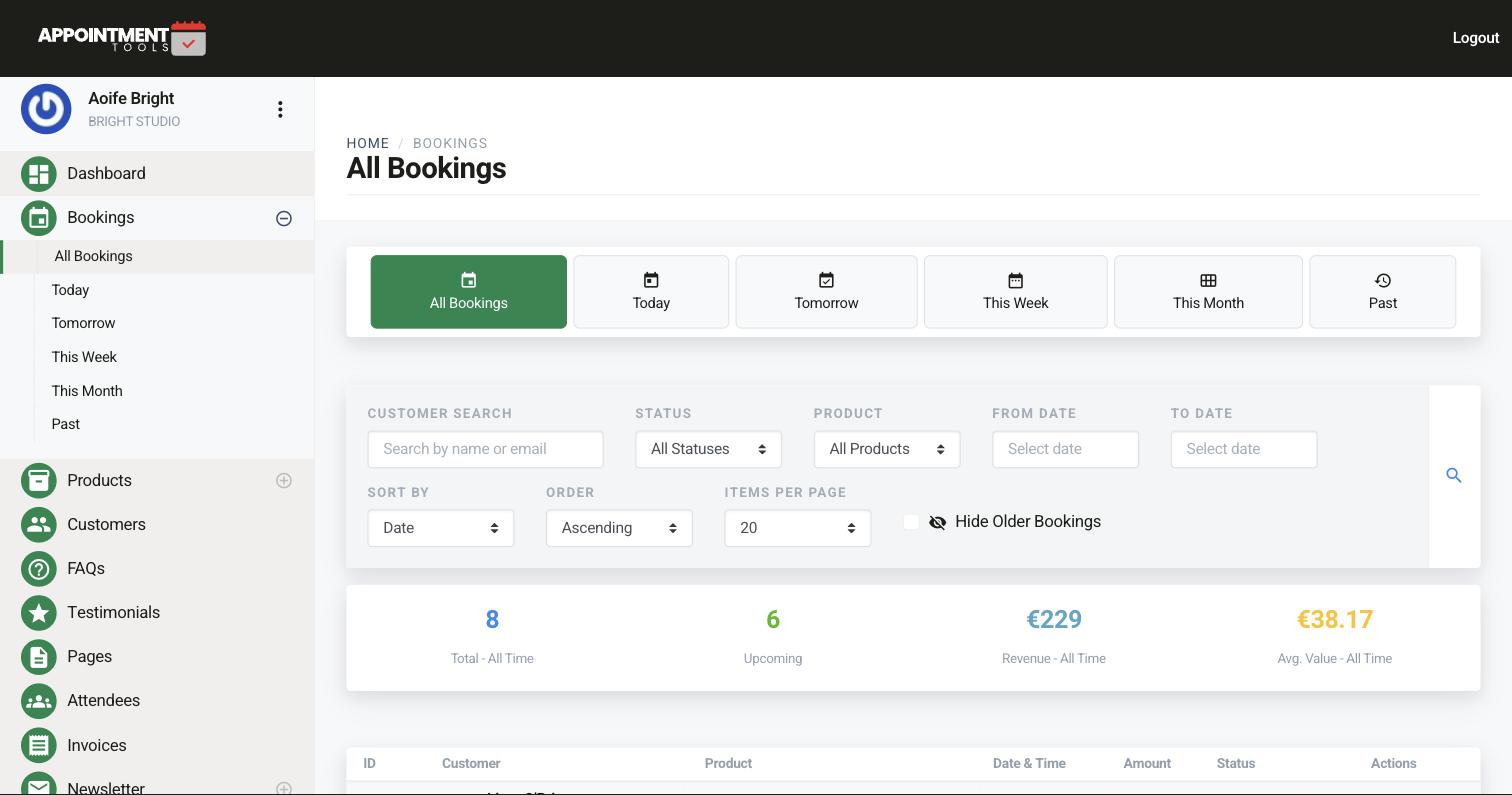
Open your bookings list
Select Bookings in the sidebar to see every booking for the active business, newest first. The list is paginated, so use the page controls at the bottom to move through older bookings.
Where to find it
Dashboard → BookingsFilter by date range
Use the filters at the top of the list to narrow things down to the period you care about. This is handy for planning your day, prepping for the week, or reviewing what's already happened.
| Filter | Shows |
|---|---|
| Today | Bookings scheduled for today. |
| Tomorrow | Bookings scheduled for the next day. |
| This Week | Bookings within the current week. |
| This Month | Bookings within the current month. |
| Past | Bookings that have already taken place. |
| All | Every booking, with no date limit. |
Example
/bookings?filter=todayOpen a booking
Select any row to open its full details — customer, service, time, payment status and more. See Booking details for what you can do from there.
Still need help?
Can't find what you're looking for? Send our support team a message and we'll reply by email.