
Booking details
Open any booking to see everything about it in one place — and to take action on it.
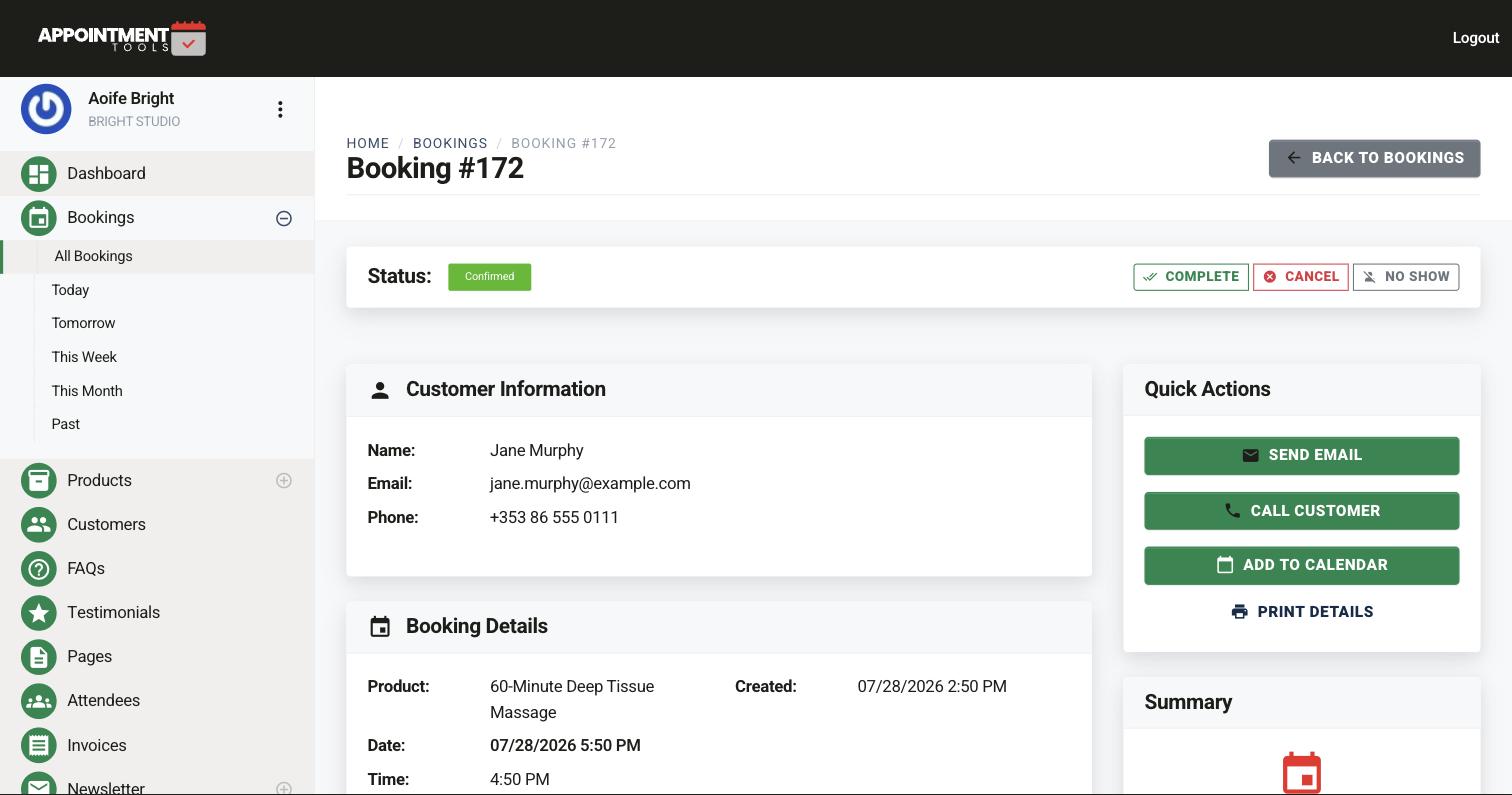
Open a booking
From your bookings list, select any booking to open its detail page. Each booking has its own web address, so you can bookmark or share a link internally.
Where to find it
/bookings/{id}What's on the page
The detail page brings together everything for that booking:
- Customer info — name and contact details.
- Service — what was booked.
- Date and time — when it's scheduled.
- Payment status — whether it's paid, and a payment summary.
- Notes — anything added by the customer or your team.
- Participants — everyone attending, for group bookings.
Take action
From the detail page you can review the payment summary and act on the booking — for example, cancelling it if plans change.
Tip. Add a note to record anything the customer mentions, so the whole team stays in the loop.
Still need help?
Can't find what you're looking for? Send our support team a message and we'll reply by email.