
Manage subscribers
Grow and look after the list of people who've opted in to hear from you, so every campaign reaches an engaged, willing audience.
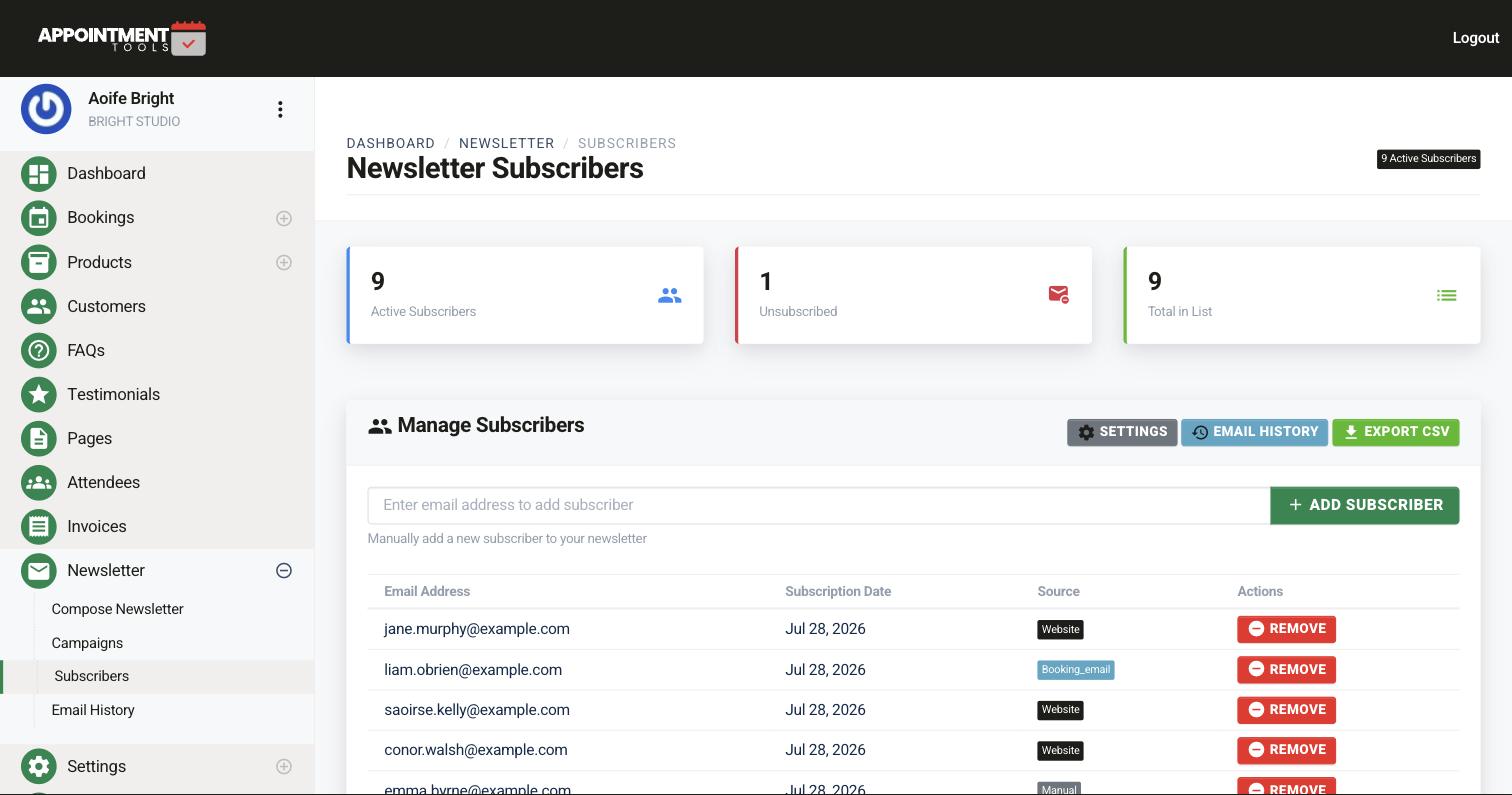
View your list
Open Newsletter → Subscribers to see everyone signed up to receive your campaigns. From here you can review who's on your list, add people and remove anyone who no longer wishes to hear from you.
Where to find it
Dashboard → Newsletter → SubscribersHow people join your list
Customers can subscribe themselves directly from your booking site, and they can unsubscribe at any time from a link in your emails. This keeps your list clean and consent-based:
- Subscribing. Customers opt in from your booking site, so everyone on your list has chosen to be there.
- Unsubscribing. Every campaign includes an unsubscribe link, and people who opt out are removed automatically.
Keep your list healthy
A smaller list of genuinely interested people almost always performs better than a large one full of uninterested addresses. Let unsubscribes go rather than trying to win people back — it protects your delivery reputation and keeps your campaign results meaningful.
Customers manage this from
Your booking site → Subscribe
Email footer → Unsubscribe
Still need help?
Can't find what you're looking for? Send our support team a message and we'll reply by email.