
Stripe
Connect your Stripe account so you can take payments from customers at the point of booking.
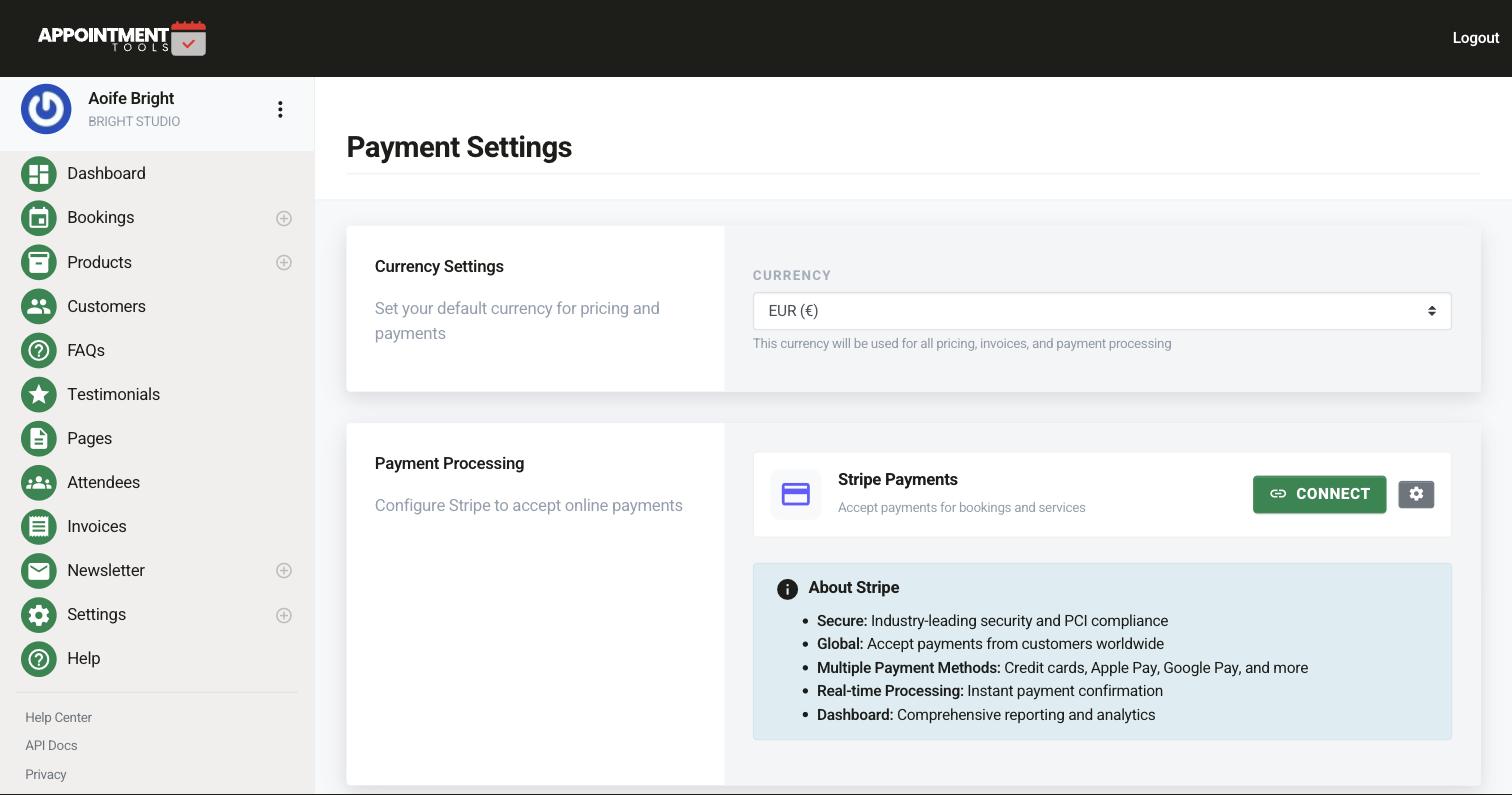
Connect Stripe
Go to Settings → Integration and select Connect under Stripe. You'll be taken to Stripe to sign in or create an account and approve the connection, then you're returned to the app. If you don't have a Stripe account yet, you can set one up during this step.
- Open Settings → Integration.
- Select Connect under Stripe.
- Sign in to Stripe and approve the connection.
Where to find it
Dashboard → Settings → Integration → StripeTaking payments at booking
Once Stripe is connected, you can charge customers as part of the booking flow — payments are handled securely by Stripe and paid out to your own Stripe account. For a full walkthrough of setting this up, see Connect Stripe, and to control which services require payment and how, see Payment settings.
Manage or disconnect
You can review or remove the Stripe connection from Settings → Integration, and manage how payments are collected under Settings → Payment. Disconnecting Stripe stops you taking payments at booking until you reconnect.
Manage payments
Settings → Integration
Settings → Payment
Still need help?
Can't find what you're looking for? Send our support team a message and we'll reply by email.