
Create a service
A service is anything customers can book with you — a haircut, a consultation, a class. Here's how to add one so it shows up on your booking page.
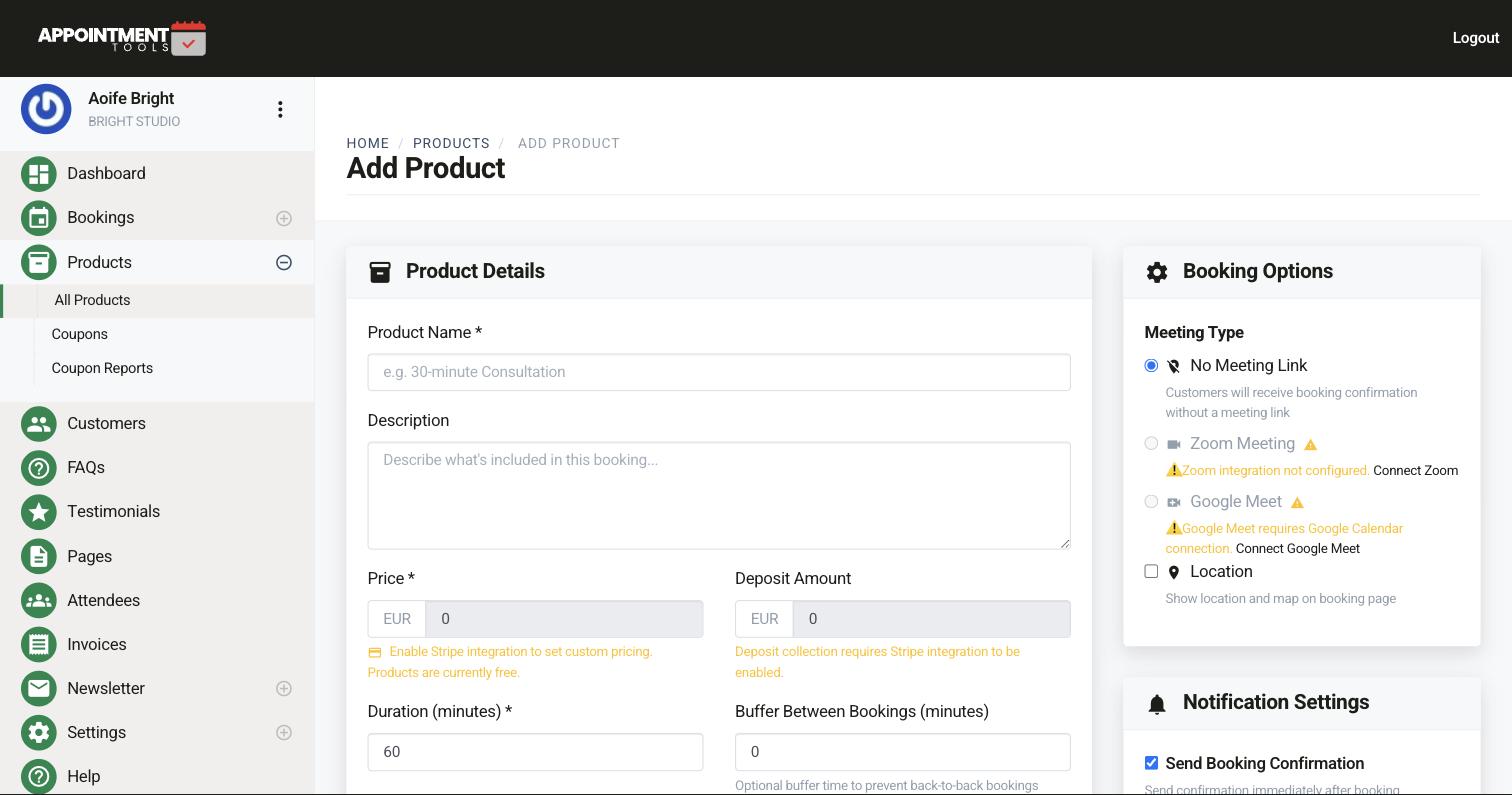
Add a new service
Open Products in the left sidebar and choose Add. Give your service a clear name, set how long it lasts, add a price, and write a short description so customers know what to expect.
- Name — what customers will see, e.g. “60-minute consultation”.
- Duration — how long the appointment takes. This controls the time slots offered.
- Price — what you charge for the service.
- Description — a sentence or two explaining what's included.
Save, and your service is ready to book.
Where to find it
Dashboard → Products → AddEdit or update a service
You can change any detail at any time. Open Products, pick the service you want to change, and update its name, duration, price, or description. Changes take effect straight away on your booking page.
Where to find it
Dashboard → Products → EditWhat happens next
Once created, the service appears automatically on your public booking page so customers can choose it and pick a time. To fine-tune how you charge and take payment for it, see Pricing and options.
Still need help?
Can't find what you're looking for? Send our support team a message and we'll reply by email.