
Payment problems
If customers can't pay, or payments aren't coming through, these checks cover the usual causes.
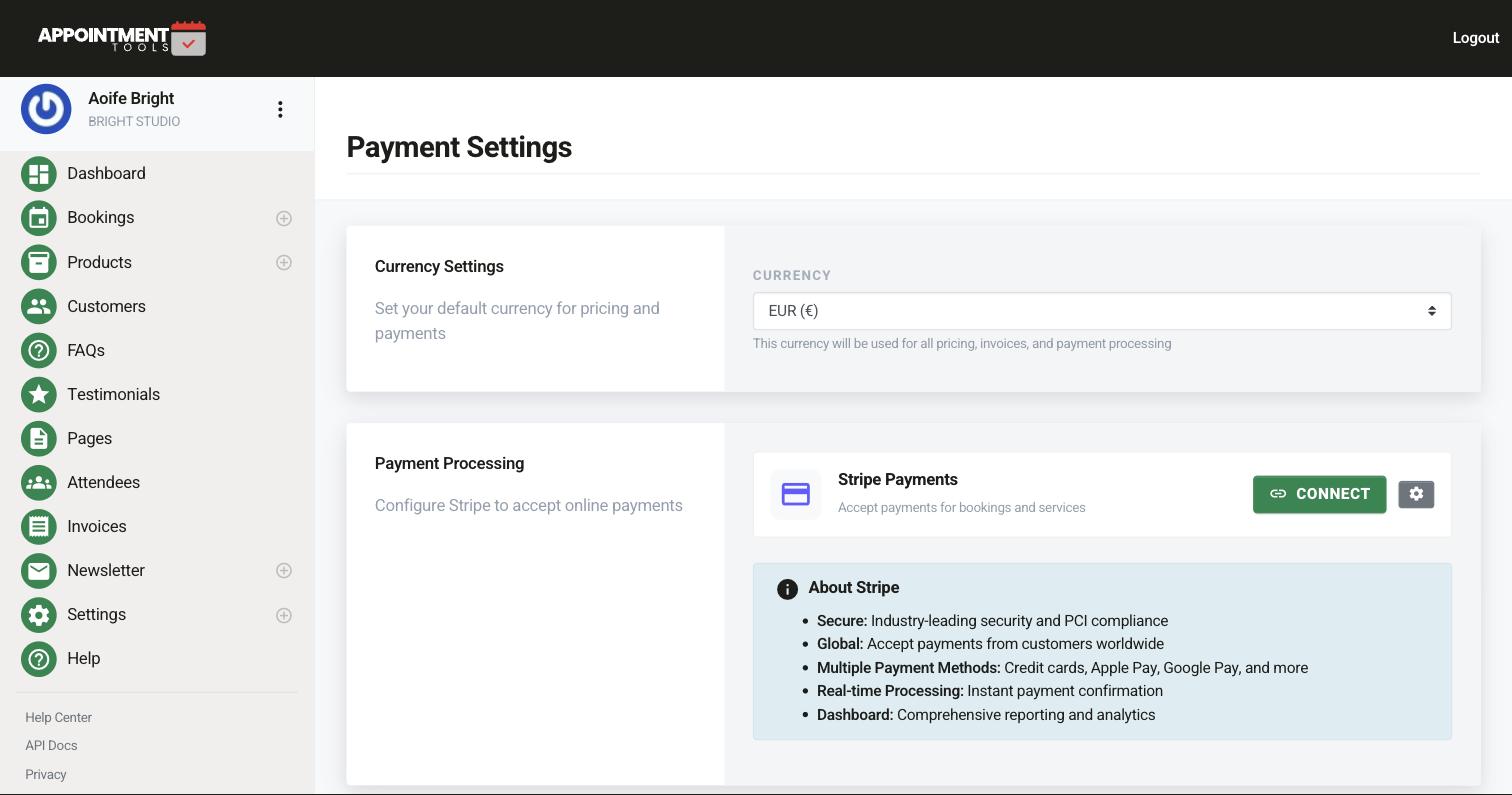
Confirm Stripe is connected
Payments are taken through Stripe, so the first thing to check is that your Stripe account is properly connected. Go to Settings → Payment and confirm the connection is active. If it's disconnected or was never finished, customers won't be able to pay. See Connect Stripe to link or reconnect your account.
Where to find it
Dashboard → Settings → PaymentReview your payment settings
Even with Stripe connected, your payment settings decide whether a service takes payment, how much, and in which currency. If a booking isn't asking for payment when it should, check that the service is set to be paid and that your payment settings are complete. See Payment settings.
Where to find it
Dashboard → Settings → PaymentPayment declined at checkout
If a specific customer's card is declined, that's usually between their bank and Stripe rather than a problem with your setup. Ask them to try another card or contact their bank. Stripe records every attempt, so you can review declined payments in your Stripe dashboard for the exact reason.
Still need help?
Can't find what you're looking for? Send our support team a message and we'll reply by email.