
Chatbot behaviour and monitoring
Shape how your assistant responds to customers and keep an eye on its conversations, so it stays helpful, on-brand and accurate.
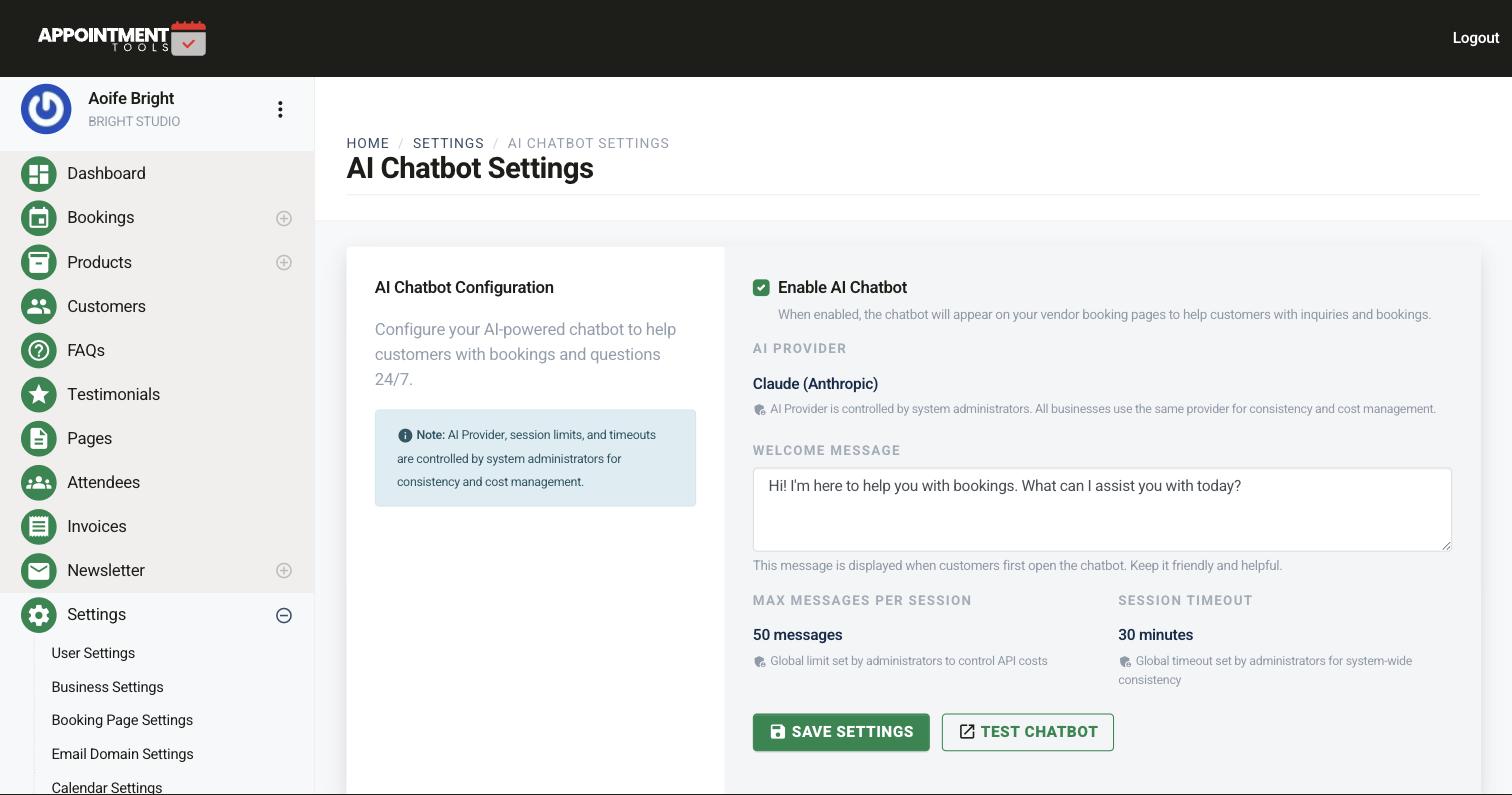
Control how it responds
Open Settings → AI Chatbot to adjust the assistant's behaviour. This is where you tune how it talks to customers and what it focuses on — so its replies match the way you'd want your own team to answer.
Where to find it
Dashboard → Settings → AI ChatbotReview conversations for quality
It's worth checking in on real conversations, especially in the first weeks after switching the assistant on. Reviewing what customers ask and how the assistant replies helps you:
- Spot gaps. Questions the assistant struggles with may point to information worth adding to your services or booking page.
- Catch mistakes. Occasionally an AI answer can be off — reviewing lets you notice and correct the underlying cause.
- Build confidence. Seeing it handle real enquiries well reassures you it's ready to work unsupervised.
Keeping answers accurate
The assistant answers based on your business information, so the better your services and booking page describe what you offer, the better its replies. If you notice it giving a wrong or unclear answer, updating the relevant details is usually the fix. Monitoring lightly but regularly is the best way to keep quality high.
Still need help?
Can't find what you're looking for? Send our support team a message and we'll reply by email.