
Enable the chatbot
Turn on the AI booking assistant so it appears on your booking page and helps customers find the right service and book — even when you're busy or closed.
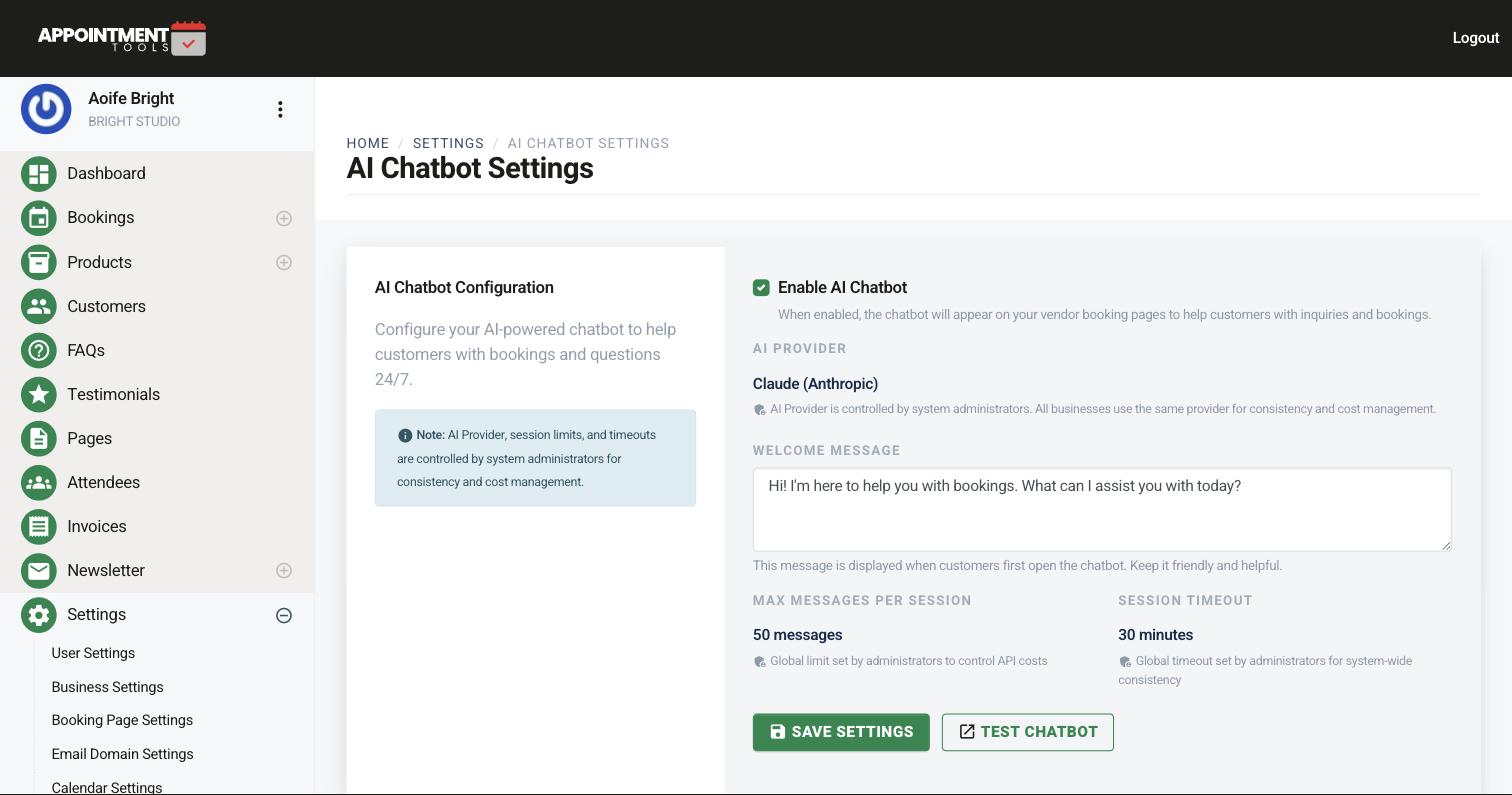
Switch it on
Open Settings → AI Chatbot and enable the assistant. Once it's on, a chat bubble appears on your public booking page where customers can ask questions and get help booking, day or night.
Where to find it
Dashboard → Settings → AI ChatbotWhat the assistant does
Once enabled, the chatbot sits on your booking page and helps visitors help themselves:
- Answers common questions about your services, so people don't drop off looking for information.
- Points customers to the right service and towards booking it.
- Works around the clock, so enquiries outside your opening hours still get a helpful reply.
Before you go live
You'll need to choose which AI provider powers the assistant — see Choose an AI provider. It's also worth reviewing how it responds and keeping an eye on early conversations, covered in Chatbot behaviour and monitoring.
See it live
Your booking page → chat bubbleStill need help?
Can't find what you're looking for? Send our support team a message and we'll reply by email.